

Translation office software
Invoices, payments and a cash drawer that balances
Take a deposit at the counter and the rest at pickup, invoice company clients once a month, and close each day by counting the drawer. Every payment, refund and expense is in the books.
- Free demo on request
- A private database for each office
- Arabic and English
Overview
Payments follow the order: a deposit when the documents are handed in, partial payments up to the balance, and a receipt for each. Methods include cash, card, mobile wallet, instant transfer and bank transfer. Refunds need an amount and a reason; discounts happen only at the counter, by permission.
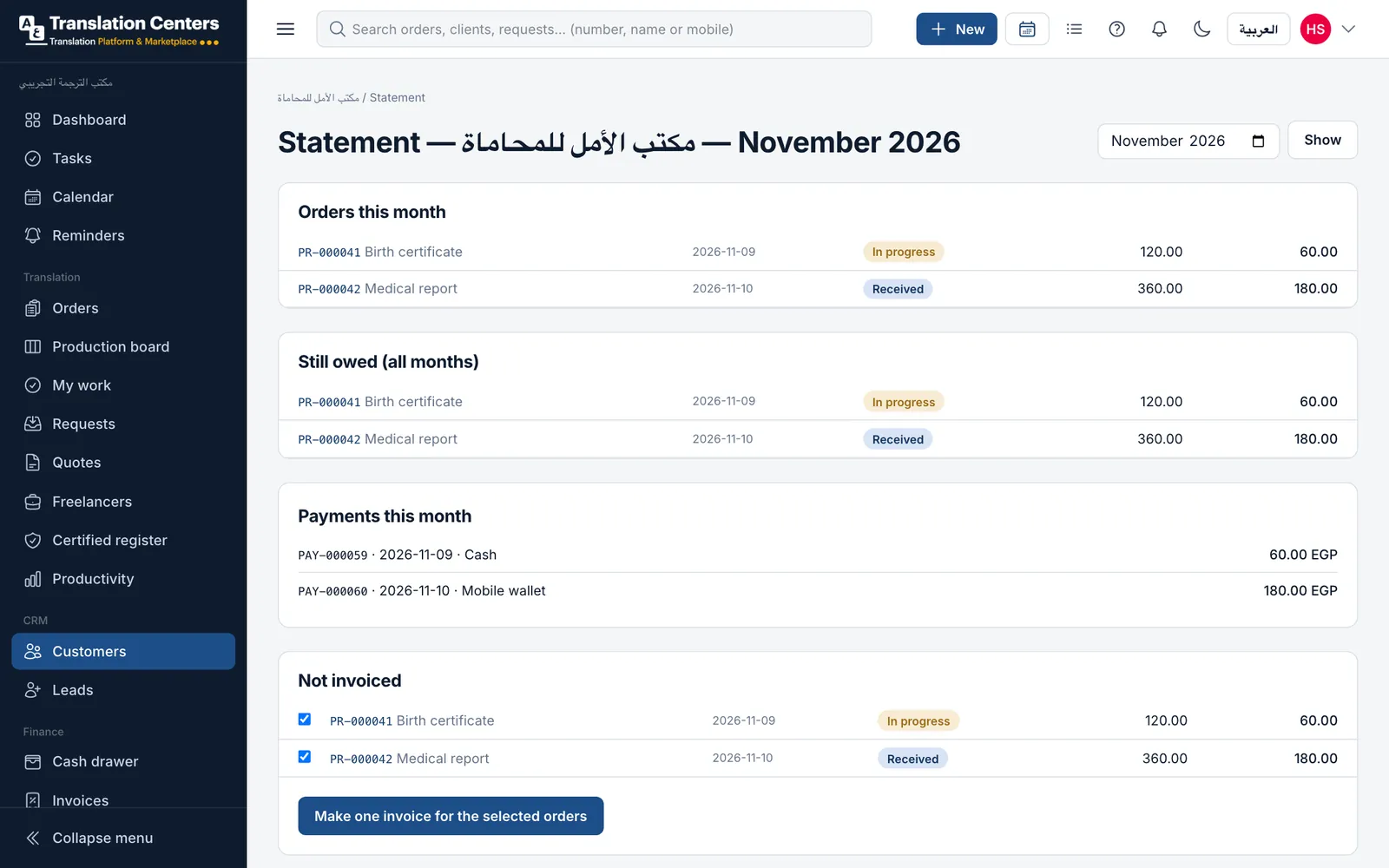
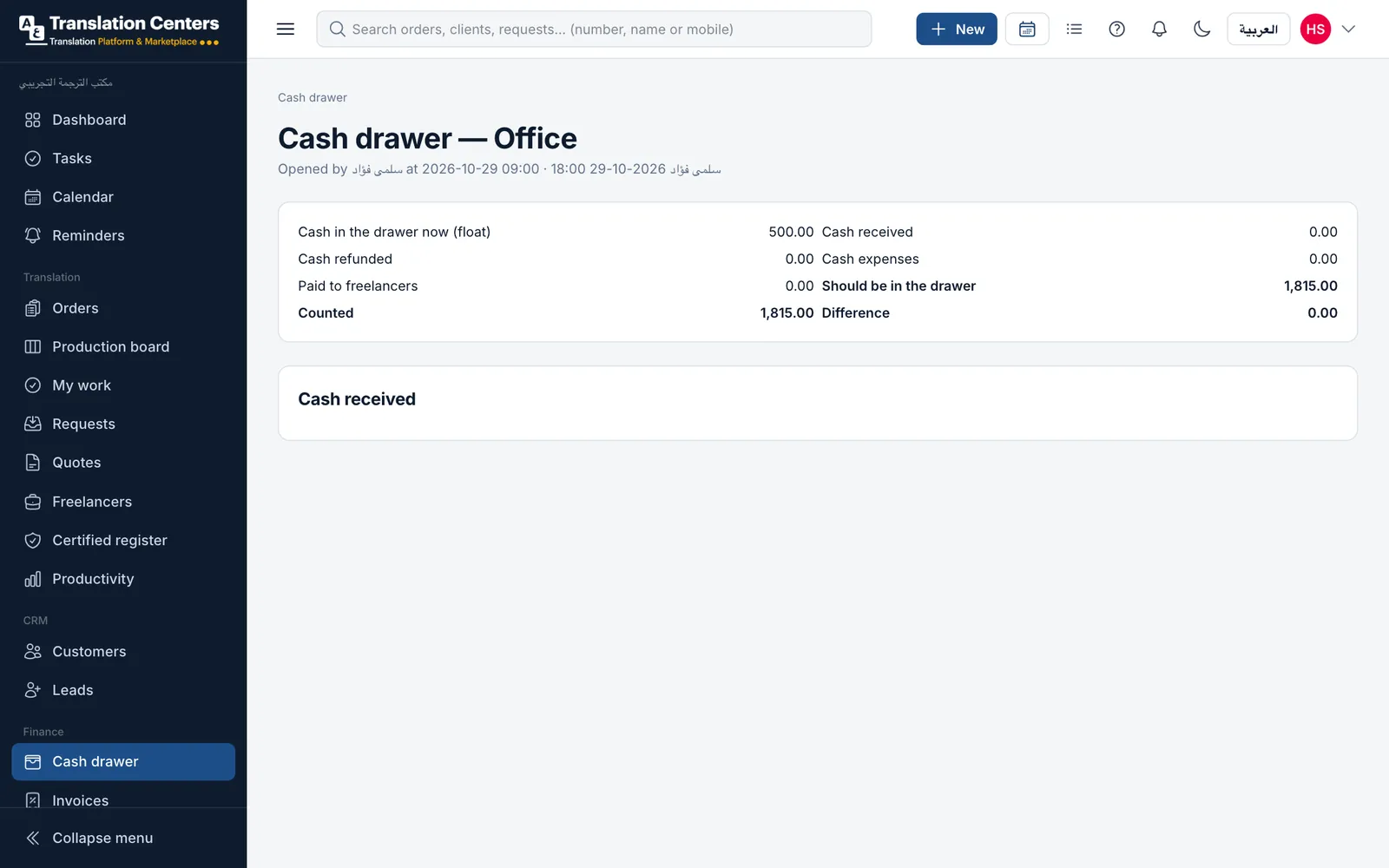
Company clients such as law firms and schools can take work now and pay monthly, within a credit limit and payment terms you set. Their statement lists the month’s orders and payments and everything still owed; tick the orders and make one invoice. Each branch has a cash drawer: open it with a float, and close it by counting — the software shows the expected amount and any difference.
A guided look at the screen
Real screens from our demo office, with sample data. Tap a number to see what each part does.
See it with your own work
We send you the login details for a demo office full of sample data, usually within one working day. No payment details needed.
Money in by method this month
Every payment records its method, so you know how much came in as cash, by wallet or by transfer.
-
Cash11,200 EGP
-
Mobile wallet4,200 EGP
-
InstaPay2,300 EGP
-
Bank transfer1,500 EGP
More screens
The daily cash drawer
Opened with a float, it books cash received, refunds, expenses and payments to freelancers. Count it at closing: expected, counted and the difference.
What your office gains
-
Tax invoices
Invoices print with your tax registration number.
-
Credit for company clients
Monthly accounts with credit limits and payment terms.
-
A drawer that balances
Expected against counted, every day, for every branch.
-
Refunds with a reason
Refunds and discounts need permission and are recorded.
Questions offices ask
Can a client pay in several parts?
Yes. Take a deposit at the counter and record further payments up to the balance, each with its own receipt and method.
How do monthly accounts work?
Mark a company client as paying monthly, with a credit limit and payment terms. They take work now; their statement shows the month and everything still owed, and you can invoice several orders at once.
Does every branch have its own cash drawer?
Yes. Each branch opens its drawer with a float and closes it by counting. Closed drawers stay listed with any shortage or surplus.
Can we record expenses?
Yes. Expenses are recorded by category, and cash expenses come out of the open drawer.
Part of one system
Every part works with the others: a client, an order or a payment is entered once and appears wherever it is needed.
- Orders & pricing Take orders at the counter, priced from your own list.
- Production board Every document through translation, review and stamping.
- Freelance translators Offer work by private link, track rates and what you owe.
- Certified register Numbered register entries and a QR check for stamped copies.
- Tracking & delivery QR tracking for clients, ready messages and handover.
- WhatsApp messages Order updates to clients from your own WhatsApp number.
- Reports & dashboard Sales, production and money at a glance, compared over time.
- Clients, team & branches Client records and portal, staff roles and several branches.
Ready to run your office from one screen?
Request a free demo, or ask to sign up and we will send you the payment details. Your office gets its own private database.
From 5,000 EGP a month or 60,000 EGP a year, with no setup fee