

Translation office software
Every document, step by step, on one board
Translation, review, typing and layout, print and stamp, legalisation: each document moves through your steps on one board. Assign work, send it back with a note, and see what is late before the client calls.
- Free demo on request
- A private database for each office
- Arabic and English
Overview
Once an order is taken, each document gets its steps: your office’s default steps, or the list set for that document type. Legalisation and notarisation are added automatically when the client asks for them at the counter, so nothing is forgotten between the counter and the production room.
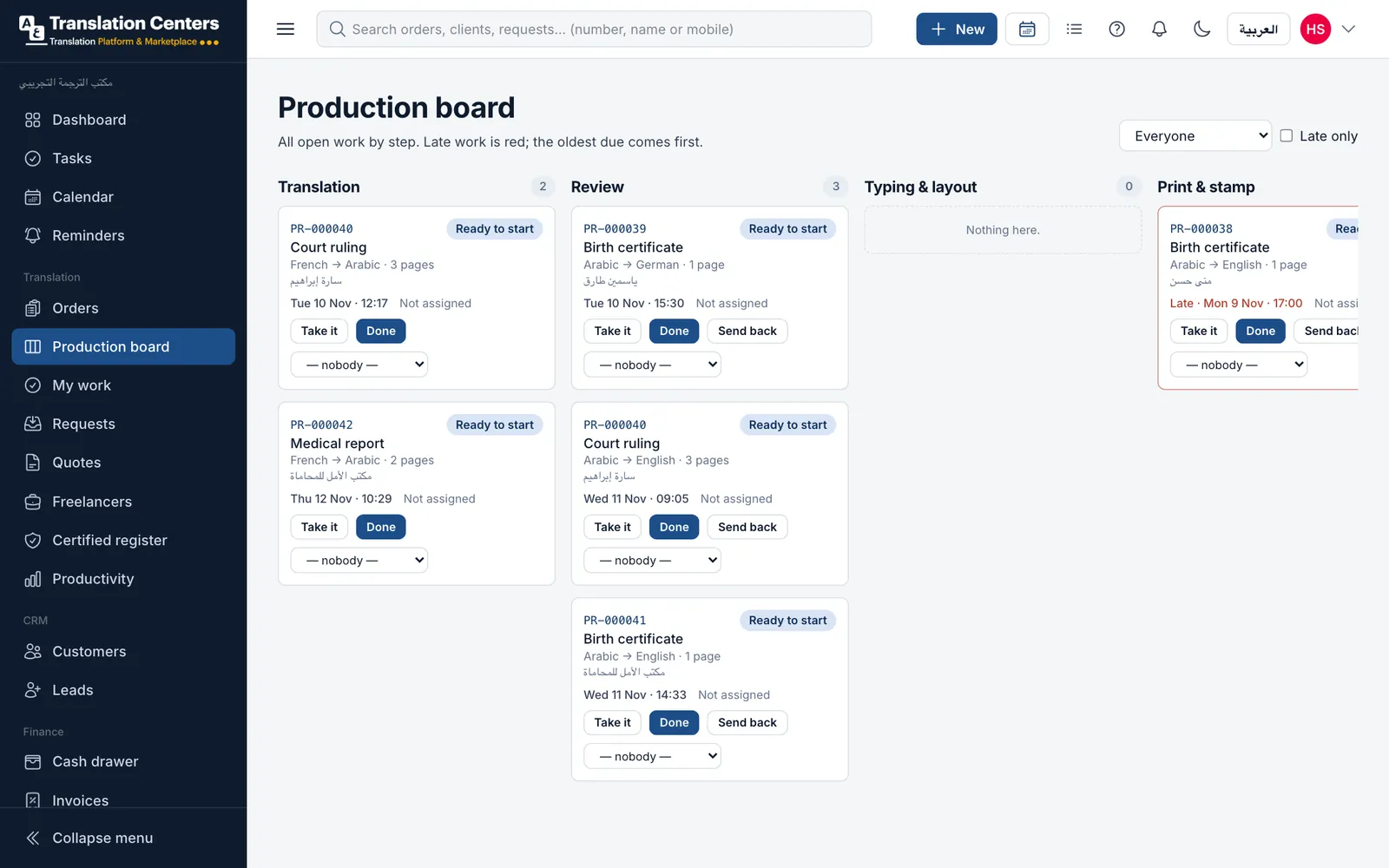
The board shows one column per step, with the oldest due date first and late work in red. Everyone sees the same picture: the manager spreads the work, translators take what is waiting, and a reviewer who finds a problem sends the document back to an earlier step with a note that stays in its history.
A guided look at the screen
Real screens from our demo office, with sample data. Tap a number to see what each part does.
See it with your own work
We send you the login details for a demo office full of sample data, usually within one working day. No payment details needed.
Where today’s work stands
The board counts what is waiting at each step, so a manager sees at a glance where work is piling up and who needs help.
-
Translation6 documents
-
Review4 documents
-
Typing & layout3 documents
-
Print & stamp2 documents
-
Legalisation1 documents
More screens
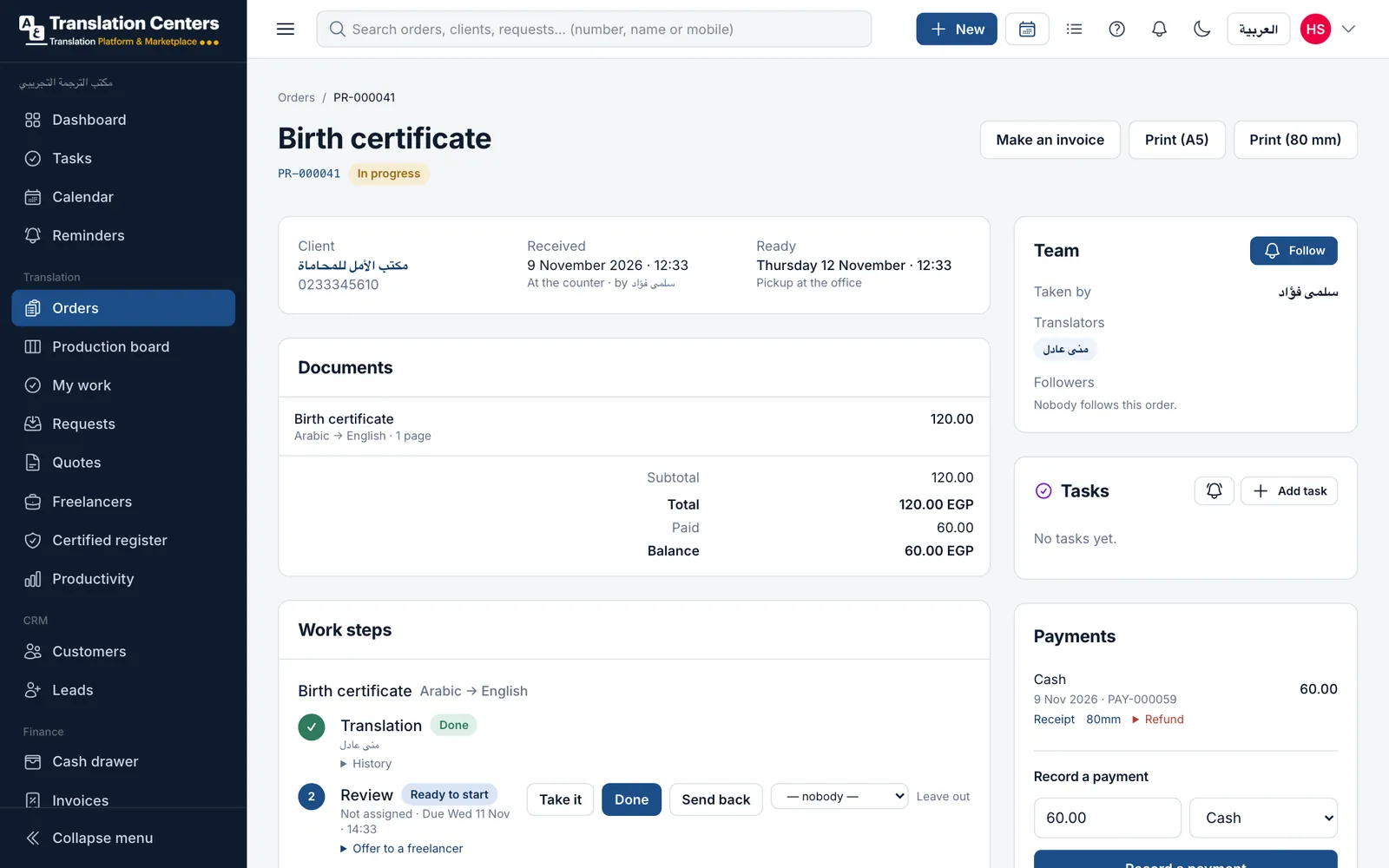
The steps inside an order
On the order page every document lists its steps, who holds each one and its history, with the register number once it is stamped.
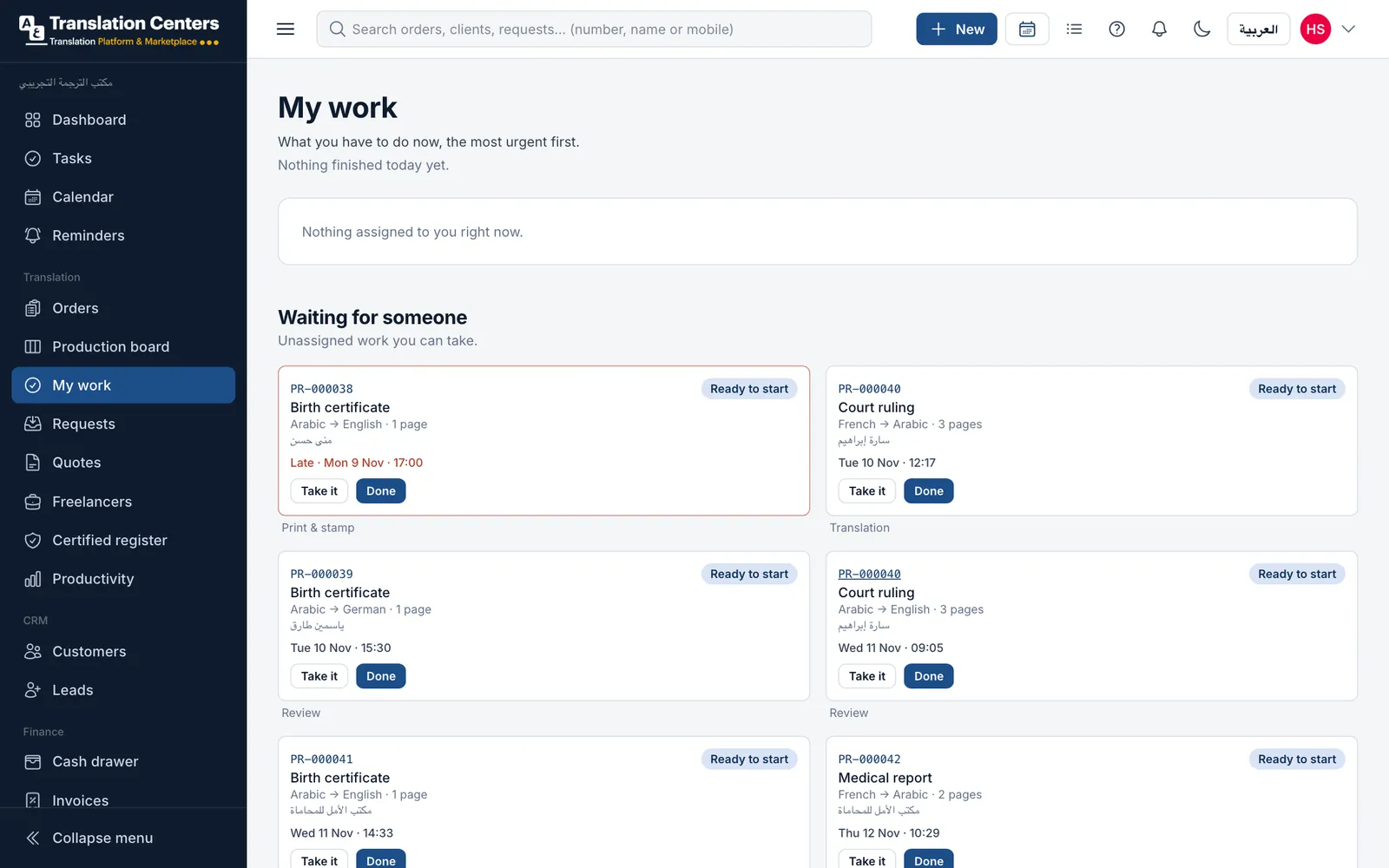
My work
Each person sees their own steps, most urgent first, and the waiting work they can take.
What your office gains
-
Nothing lost between rooms
From the counter to the stamp, every document is on the board until it is done.
-
Late work, early
Late steps turn red and their holder is told, before the client phones.
-
Corrections with a reason
Work sent back carries a note, and the history shows every return.
-
Fair, visible workload
See who holds what, and spread the work before anyone is overloaded.
Questions offices ask
Can each document type have its own steps?
Yes. Set a list of steps for a document type, such as translation, review and print & stamp, or let it use your office’s default steps.
Can freelancers appear on the board?
Yes. A step can be offered to a freelancer through a private link; once they accept, the step shows them as the person holding it.
What happens when a reviewer finds a mistake?
They send the document back to an earlier step with a note. The note stays in the history and the card shows how many times it came back.
Does the board work on a phone?
Yes. It runs in the browser on a computer, tablet or phone, and paying offices can install the office app with notifications.
Part of one system
Every part works with the others: a client, an order or a payment is entered once and appears wherever it is needed.
- Orders & pricing Take orders at the counter, priced from your own list.
- Freelance translators Offer work by private link, track rates and what you owe.
- Certified register Numbered register entries and a QR check for stamped copies.
- Tracking & delivery QR tracking for clients, ready messages and handover.
- WhatsApp messages Order updates to clients from your own WhatsApp number.
- Invoices, payments & cash Deposits, invoices, monthly statements and a daily cash drawer.
- Reports & dashboard Sales, production and money at a glance, compared over time.
- Clients, team & branches Client records and portal, staff roles and several branches.
Ready to run your office from one screen?
Request a free demo, or ask to sign up and we will send you the payment details. Your office gets its own private database.
From 5,000 EGP a month or 60,000 EGP a year, with no setup fee